Free Website Blocker for Mac - easily block unwanted websites
Website Blocker for Mac is a freeware!
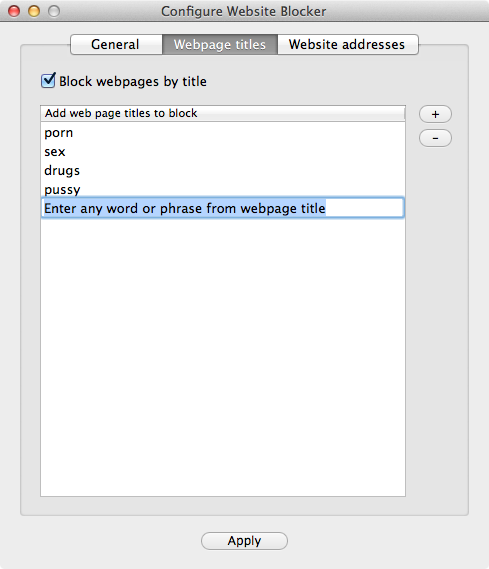
This simple and free application for Apple macOS will block unwanted websites in all popular web browsers, including Safari, Chrome, Opera and Firefox. All you need to do is to create one or two black lists of websites, based on keywords. You can block websites by addresses (URLs) or by keywords from your web browser’s title bar. This small application would be useful for parental controls (porn blocking, for example). Attention: on the latest macOS systems, this application is visible in the Launchpad. If you’d like to hide it, please purchase our Perfect Keylogger app, that has this website blocker built-in and is more stealth.
This application does not require the installation – just download and run it! Move it to the Trash to uninstall, when it’s no longer needed.
Attention: when using Firefox, please use “Block websites by title” option only – blocking by URLs is not currently possible with Firefox
If you need more advanced tool for parental controls, you may be interested in our Perfect Keylogger for Mac application, which includes this website blocker and much more options!
If you cannot open the download, please open your Downloads folder, find the downloaded application, click it with Ctrl key or with a right mouse button and choose Open from a popup menu. Repeat that twice. You will also need to approve Website Blocker app in System Preferences > Security & Privacy > Privacy > Accessibility